Google's 3 Extensively Useful Services that you little know About

When people think of Google, they think of Search. Maybe Gmail. Maybe Maps. But Google quietly runs one of the largest suites of free productivity and marketing tools in the world — and most of them go almost completely unnoticed by everyday users.
Some of these tools are genuinely powerful enough to replace paid software. Others can save you significant money on travel or give your website an edge that competitors are paying hundreds of dollars a month to achieve elsewhere.
In this post, we’ll break down 7 underused free Google tools — covering travel planning, digital marketing, website analytics, and productivity — that you should know about and start using.
1. Google Flights — Find the Cheapest Flights and Plan Full Trips
Source: Google Flights
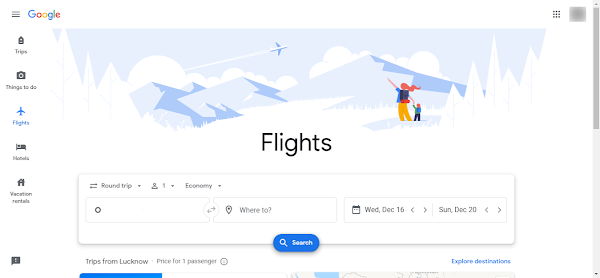
If you’re still using a single airline’s website or a third-party booking platform to find flights, you’re almost certainly leaving money on the table. Google Flights is a free flight search engine that pulls real-time data from hundreds of airlines and OTAs simultaneously, showing you the full price landscape in one place — with no markup and no booking fees.
What makes Google Flights genuinely useful isn’t just the search — it’s the smart tools built around it:
- Price Graph: Shows how flight prices change day by day around your travel dates. If you have any flexibility, this alone can save you a significant amount.
- Date Grid: Displays a matrix of prices across departure and return date combinations — perfect for finding the cheapest round-trip window.
- Price Tracking: Set an alert for a specific route and Google notifies you when prices drop.
- Explore Map: Enter your departure city with flexible dates and a budget — Google shows you everywhere you can go within that budget on a world map. Brilliant for open-ended trip planning.
- AI Flight Deals: Google’s newest Gemini-powered feature lets you describe your ideal trip in natural language and surfaces matching deals automatically.
How to Book a Complete Trip Using Google Flights
- Go to google.com/travel.
- Select the Trips tab on the left side of the search bar.
- Enter your departure location in Where from and your destination in Where to.
- Choose your travel dates and click Search. Results default to round-trip pricing — switch to One Way if needed using the dropdown in the top-left.
- Filter results by number of stops, airline, price range, airport, or bag allowance to narrow down your options.
- Select a flight — Google will show you which platforms offer that price and redirect you to book directly. No middleman markup.
- Scroll down on the results page to see hotel options at your destination. Click Search for Hotels to explore the full list.
Pro tip: According to Google Flights data, the lowest domestic flight prices typically appear around 39 days before departure. For international flights, book at least 49 days out for the best fares. Use the Price Graph to verify this for your specific route.
2. Google Analytics 4 — Understand Exactly Who Visits Your Website
Google Analytics is the world’s most widely used website analytics platform — and it’s completely free. If you run a website, blog, or online store and you’re not using GA4, you’re operating blind.
Google Analytics tells you:
- How many people visited your site, and when
- Where they came from (organic search, social media, direct, referral)
- Which pages they visited and how long they stayed
- What percentage are new vs returning visitors
- Which devices and browsers they’re using
- Where visitors drop off in your conversion funnel
GA4 (the current version) goes further than its predecessor with cross-device tracking, predictive metrics powered by machine learning, and event-based data collection that gives you a much more granular view of how users actually interact with your content.
It integrates directly with Google Search Console, Google Ads, and Looker Studio, making it the central hub of any serious website analytics setup. Virtually every website on the first page of Google’s search results has Analytics installed — that’s not a coincidence.
3. Google Looker Studio — Turn Raw Data Into Beautiful Reports
Google Looker Studio (formerly Google Data Studio, rebranded in 2022) is a free data visualisation tool that connects to your existing data sources and transforms them into professional, shareable dashboards and reports.
Instead of exporting raw numbers from Analytics into a spreadsheet and trying to make sense of them, Looker Studio pulls data in automatically and lets you display it as charts, tables, graphs, scorecards, and more — all updating in real time.
You can connect it to:
- Google Analytics 4
- Google Search Console
- Google Ads
- Google Sheets
- YouTube Analytics
- BigQuery and dozens of third-party connectors
The practical use case: build a single dashboard that shows all your key website and marketing metrics in one place, then share a live link with your team or client. No more emailing spreadsheets or manually updating reports. This is what marketing agencies charge significant fees to build for clients — and you can do it yourself for free.
4. Google Tag Manager — Manage Website Tracking Without Touching Code
Google Tag Manager is a free tag management system that lets you add, edit, and manage tracking codes (tags) on your website through a single interface — without editing your site’s code every time.
A “tag” is any snippet of code that collects data or triggers an action on your site — Google Analytics tracking code, Facebook Pixel, conversion tracking for Google Ads, heatmap scripts, and so on. Normally, adding or updating these requires a developer to go into the site’s codebase. With Tag Manager, you deploy one piece of code once, and then manage everything else through the GTM dashboard.
For website owners and marketers, this means:
- Faster implementation of tracking without developer bottlenecks
- Ability to test tags before publishing them live
- Centralized version control — you can roll back changes if something breaks
- Support for over 90 built-in tag templates including all major ad platforms and analytics tools
If you’re running Google Analytics and Google Ads simultaneously, deploying both through GTM is significantly cleaner than hardcoding them separately.
5. Google Slides — Free PowerPoint Alternative with Real-Time Collaboration
Source: Google Slides
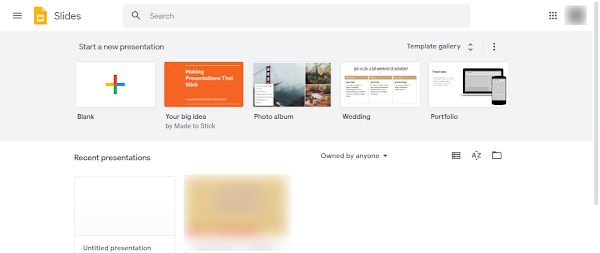
Google Slides is Google’s free alternative to Microsoft PowerPoint — and for most use cases, it does everything you need without the licensing cost.
The key advantage over PowerPoint isn’t just the price — it’s collaboration. Multiple people can edit the same presentation simultaneously in real time, from any browser, on any device. No version conflicts, no emailing files back and forth, no “who has the latest copy?” confusion.
You can export finished presentations in .pptx, .pdf, .odp, or .txt format, making it fully compatible with Microsoft Office workflows when you need to share externally.
To create your first presentation: Go to slides.google.com → click Blank presentation or choose a template → add slides, text, images, animations, and transitions → download or share directly via link.
6. Google Sheets — Free Excel Alternative with Powerful Automation
Source: Google Sheets
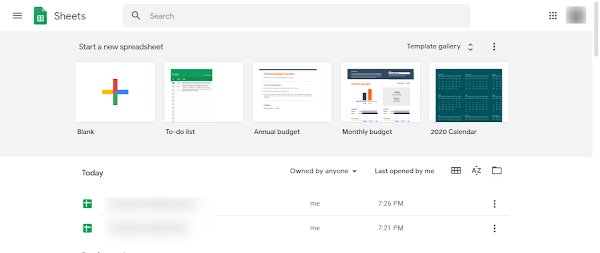
Google Sheets is Google’s free alternative to Microsoft Excel. For the majority of spreadsheet tasks — budgeting, data analysis, reporting, project tracking — it handles everything Excel does, with the same real-time collaboration advantage as Slides.
Where Sheets genuinely pulls ahead of Excel for many users is in its connectivity. Through Google Apps Script and third-party add-ons, you can automate Sheets to pull data from external sources, send emails, update dashboards, or connect to APIs — without paying for expensive enterprise software. For marketers specifically, tools like the Search Analytics for Sheets add-on let you pull Google Search Console data directly into a spreadsheet automatically.
Sheets supports all common Excel formulas, pivot tables, charts, conditional formatting, CSV import/export, and downloads in .xlsx, .pdf, .csv, and other formats.
To get started: Go to sheets.google.com → click Blank spreadsheet → start building.
7. Google Docs — Free Word Processor with Smart Collaboration Features
Source: Google Docs
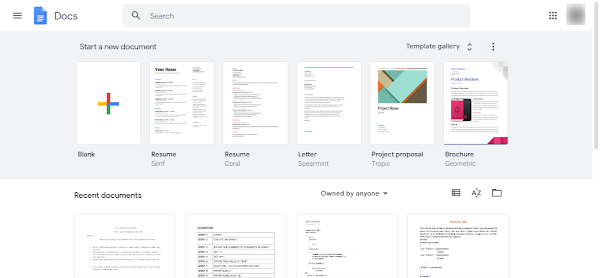
Google Docs is Google’s free alternative to Microsoft Word — and for collaborative writing and document editing, it’s arguably superior. Suggesting mode (the equivalent of Track Changes), inline comments, real-time co-editing, and version history are all built in and significantly easier to use than their Word counterparts.
Docs is particularly strong for teams: you can see who’s editing what in real time, leave comments and @mention colleagues, resolve feedback threads, and always access the complete edit history to see what changed and when.
It exports to .docx, .pdf, .odt, .txt, and other formats, keeping it compatible with Microsoft Office when needed.
To get started: Go to docs.google.com → click Blank document or choose a template (resumes, letters, reports) → start writing.
Frequently Asked Questions
Q: Are all these Google tools completely free?
A: Yes — Google Flights, Google Analytics 4, Looker Studio, Google Tag Manager, Google Slides, Google Sheets, and Google Docs are all free to use with a Google account. Some have paid tiers (like Google Analytics 360 for enterprise), but the free versions cover everything most individuals and small businesses need.
Q: What is the difference between Google Flights and other flight booking sites?
A: Google Flights is a flight search engine, not a booking platform. It compares prices across hundreds of airlines and OTAs and then redirects you to book directly with the airline or platform of your choice — with no additional markup or booking fees. Sites like Expedia or MakeMyTrip are OTAs that actually process the booking themselves and sometimes add service fees on top.
Q: Is Google Sheets good enough to replace Microsoft Excel?
A: For the vast majority of users, yes. Google Sheets handles formulas, pivot tables, charts, data validation, and conditional formatting. Where Excel still has an edge is in handling extremely large datasets, advanced financial modelling, and certain complex macros. If you’re not doing heavy enterprise-level data work, Sheets is more than sufficient — and the real-time collaboration is a genuine advantage over Excel.
Q: Do I need coding skills to use Google Tag Manager?
A: Not for basic use. GTM has built-in templates for the most commonly used tags (Google Analytics, Google Ads, Facebook Pixel, etc.) that you can configure through a form-based interface without writing code. More advanced custom tags can require JavaScript knowledge, but you can get substantial value from GTM without touching a single line of code.
Q: What is Google Looker Studio used for?
A: Looker Studio (formerly Google Data Studio) is used to create visual dashboards and reports from your data sources. It’s most commonly used to visualise Google Analytics, Search Console, and Google Ads data in a clean, shareable format — replacing manual spreadsheet reporting with automated, real-time dashboards.
Q: Is Google Docs better than Microsoft Word?
A: It depends on your use case. For collaborative documents, remote teams, and browser-based access, Google Docs is generally more practical. For complex formatting, advanced desktop publishing, or offline-first workflows, Word still has an edge. For everyday writing, drafting, and team collaboration — Docs is excellent and free.
Conclusion
Google’s ecosystem goes well beyond Search — and most of it is completely free. Whether you’re planning a trip and want the best flight prices, running a website and need to understand your traffic, managing a marketing campaign without a developer’s help, or just looking for free alternatives to Microsoft Office, there’s a Google tool built for exactly that.
The best starting point depends on your situation: if you have a website, install Google Analytics and connect it to Looker Studio first — the insight you’ll gain about your audience is immediately actionable. If you travel frequently, bookmark Google Flights and start using the Price Graph before every booking. And if you’re still paying for Microsoft Office for basic document work, Google Workspace’s free tier covers everything you need.
Questions about any of these tools or how to set them up? Drop them in the comments — happy to help.
Related Articles
Read next
Learn how to use Google Meet like a pro in less than 10 mins
Google Meet has become one of the most widely used video conferencing tools in the world — and for good […]
Read More
Which is the Best Free Video Editing App
Whether you’re editing Reels for Instagram, crafting YouTube Shorts, or putting together a quick WhatsApp status video, the app you […]
Read More
How to Protect your Privacy on Android
You’ve handed your phone more personal information than almost anyone in your life. Your location, your contacts, your photos, your […]
Read More