Free Google Tools for Startups

Before you pay for a single analytics tool, marketing platform, or productivity suite — check what Google is giving you for free.
Most founders know Google for Search, Gmail, and Maps. What most don’t realise is that Google quietly runs one of the largest free productivity and marketing tool suites in the world — tools that replace software that early-stage startups routinely spend ₹10,000–80,000 per year on, before they’ve validated whether they need that level of investment.
These seven tools aren’t obscure. They’re used by some of the most sophisticated marketing and analytics teams in the world. The gap is that most Indian startup founders haven’t set them up — which means they’re operating without visibility into their website traffic, deploying tracking manually when they could automate it, and paying for office software they don’t need to pay for.
Here’s what’s available, what each one does, and why it belongs in your stack from day one.
1. Google Analytics 4 — The Non-Negotiable First Install
If you have a website and haven’t installed Google Analytics 4, you’re operating blind. This is the world’s most widely used website analytics platform — completely free — and it tells you everything you need to know about who is visiting your site and what they’re doing there.
For an Indian startup founder, GA4 answers the questions that matter most at the early stage:
- Where is your traffic coming from? — Organic search, social media, direct, paid, referral. This tells you which acquisition channels are actually working versus which ones feel productive but aren’t driving traffic.
- What are people doing on your site? — Which pages they visit, how long they stay, where they drop off. If your landing page has a 90% bounce rate, that’s a conversion problem worth knowing about immediately.
- Who is your audience? — Location, device, new vs returning, language. For Indian startups targeting specific cities or demographics, this data shapes both product and marketing decisions.
- Are users converting? — GA4’s event-based tracking lets you set up conversion goals — form submissions, purchases, sign-ups — and track the funnel from first visit to completion.
GA4 goes further than its predecessor with cross-device tracking, predictive metrics powered by Google’s machine learning, and direct integration with Google Search Console and Google Ads. Setting it up takes about 20 minutes. Not setting it up costs you visibility into your most important business metric — how people find and interact with your product.
To get started: Go to analytics.google.com, create a property for your website, copy the GA4 tracking snippet, and paste it into your site’s header (or deploy it via Google Tag Manager — more on that below).
2. Google Looker Studio — Turn Your Data Into Dashboards
Once you have GA4 running, the next problem is making sense of the data. Raw Analytics numbers are useful, but they require time to interpret and don’t communicate quickly to a co-founder, investor, or team member who needs an overview.
Google Looker Studio (formerly Google Data Studio, rebranded in 2022) solves this. It’s a free data visualisation tool that connects to your existing data sources and transforms them into professional, shareable dashboards that update automatically in real time.
Instead of exporting raw numbers from Analytics into a spreadsheet and manually building a report, Looker Studio pulls data in automatically and displays it as charts, tables, graphs, and scorecards — all live. Share a link and anyone can view the dashboard without needing GA4 access.
Connect it to:
- Google Analytics 4
- Google Search Console
- Google Ads
- Google Sheets
- YouTube Analytics
The practical use case for Indian startup founders: build a single dashboard showing your key metrics — weekly traffic, traffic sources, top landing pages, conversion rate, search queries driving visits — and share a live link in your weekly team update or investor report. Marketing agencies charge ₹15,000–40,000 per month to build these for clients. You can do it yourself for free in an afternoon.
To get started: Go to lookerstudio.google.com, click Create → Report, and connect your GA4 property as the first data source.
3. Google Tag Manager — Manage All Your Tracking Without a Developer
Every tool you add to your startup’s marketing stack — GA4, Facebook Pixel, Google Ads conversion tracking, heatmap tools, A/B testing scripts — requires a code snippet on your website. Each one typically requires a developer to add it. If your dev is busy (and they always are), every tracking deployment becomes a bottleneck.
Google Tag Manager eliminates this problem. Install it once on your website — one code snippet, one developer visit — and then manage all future tracking deployments through GTM’s dashboard without touching code again.
For Indian startup founders running lean teams where the founder is often also the marketer, GTM means:
- Add GA4, Facebook Pixel, and Google Ads tracking yourself in 20 minutes — no developer required
- Test tags before they go live to make sure they’re firing correctly
- Roll back any change instantly if something breaks
- Manage version history — every configuration change is recorded and reversible
- Deploy over 90 pre-built tag templates for every major analytics and advertising platform
The setup sequence that makes sense: install GTM first, then deploy GA4 through GTM, then add any other tracking through GTM as you need it. This is significantly cleaner than hardcoding each tool separately and gives you a single control point for all your tracking infrastructure.
To get started: Go to tagmanager.google.com, create an account and container for your website, and ask your developer to add the GTM container snippet once. Everything after that is manageable without developer involvement.
4. Google Flights — The Smartest Way for Founders to Book Travel
Source: Google Flights
Indian startup founders travel — for investor meetings, client visits, conferences, sales trips. And most book flights through the first OTA that comes up in search, leaving significant money on the table.
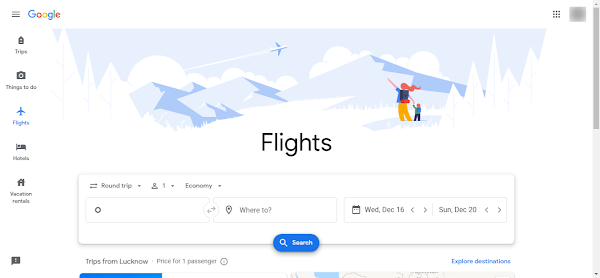
Google Flights is a free flight search engine that pulls real-time data from hundreds of airlines and OTAs simultaneously with no markup and no booking fees. It doesn’t process the booking itself — it shows you where to find the lowest price and redirects you there directly.
The features that matter for frequent-travelling founders:
- Price Graph: Shows how prices change day by day around your travel dates. If you can move your trip by two days, this alone often saves ₹3,000–8,000 on a domestic flight.
- Date Grid: A matrix of prices across departure and return date combinations — the fastest way to find the cheapest round-trip window.
- Price Tracking: Set an alert on a specific route and Google notifies you when prices drop. Useful for trips you’re planning 4–6 weeks out.
- AI Flight Deals: Google’s Gemini-powered feature surfaces matching deals when you describe your trip in natural language.
Booking tip: According to Google Flights data, the lowest domestic prices typically appear around 39 days before departure. For international flights, book at least 49 days out. Use the Price Graph to verify this for your specific route.
To use it: Go to google.com/travel, enter your route and dates, and explore the Price Graph and Date Grid before choosing your departure date.
5. Google Slides — Pitch Decks and Presentations Without Paying for PowerPoint
Source: Google Slides
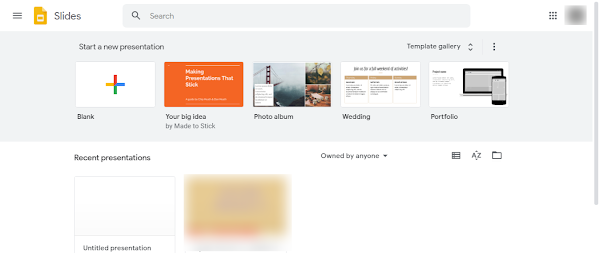
Google Slides is Google’s free alternative to Microsoft PowerPoint. For the presentation types Indian startup founders create most — investor pitch decks, client proposals, team updates, product demos — it does everything PowerPoint does at zero cost.
The practical advantage over PowerPoint for startup teams is collaboration. Multiple co-founders or team members can edit the same pitch deck simultaneously in real time, from any browser, on any device. No version conflicts. No “who has the latest file?” emails. The deck lives in Drive and is always the current version.
Export finished presentations as .pptx for investors or clients who use PowerPoint, as .pdf for sharing via email, or share a view-only link directly.
To get started: Go to slides.google.com → click Blank presentation → build your deck → share or export as needed.
6. Google Sheets — Free Spreadsheet Tool With Powerful Automation
Source: Google Sheets
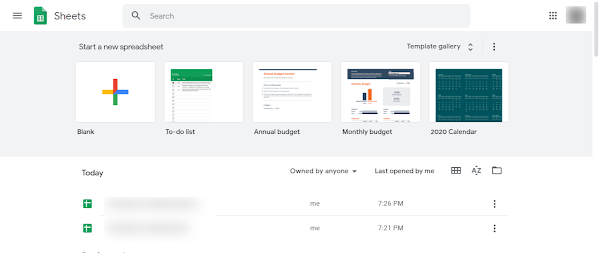
Google Sheets is Google’s free Excel alternative — and for early-stage Indian startups, it handles every spreadsheet need without the cost of Microsoft 365 licences.
Where Sheets genuinely pulls ahead of Excel for startup use is connectivity. Through Google Apps Script and marketplace add-ons, you can automate Sheets to pull data from external sources, connect to APIs, and update dashboards without expensive enterprise software. The Search Analytics for Sheets add-on, for example, pulls Google Search Console data directly into a spreadsheet automatically — useful for tracking your SEO progress without manual exports.
Sheets supports all common Excel formulas, pivot tables, charts, conditional formatting, and CSV import/export. Downloads in .xlsx, .pdf, .csv, and other formats maintain compatibility with any external stakeholder using Microsoft Office.
To get started: Go to sheets.google.com → click Blank spreadsheet → start building.
7. Google Docs — Free Word Processor for Team Writing and Documentation
Source: Google Docs
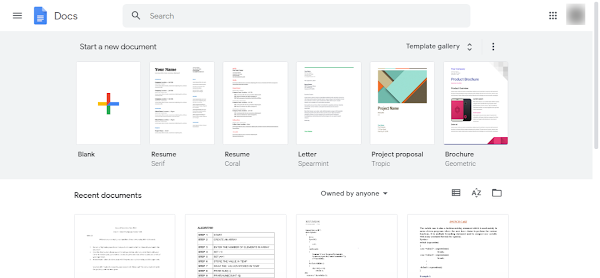
Google Docs is Google’s free alternative to Microsoft Word. For the documents Indian startup founders write most — SOPs, investor memos, team policies, product specifications, blog drafts, client proposals — it handles everything Word does at no cost.
For collaborative writing and document editing, Docs is arguably superior to Word. Suggesting mode (equivalent to Track Changes), inline comments with @mention notifications, real-time co-editing, and complete version history are all built in and easier to use than their Word counterparts. Every edit is saved automatically. Every version is accessible. Nothing gets lost.
Documents export to .docx, .pdf, .odt, and other formats for compatibility with anyone using Microsoft Office externally.
To get started: Go to docs.google.com → click Blank document or choose a template → start writing.
The Startup Stack Priority Order
If you’re starting from scratch, here’s the sequence that makes the most sense:
- Google Analytics 4 — install this on day one. You need to understand your traffic before you can grow it.
- Google Tag Manager — deploy GA4 through GTM so all future tracking is manageable without developer involvement.
- Google Search Console — connect this to GA4 to understand which search queries are driving your organic traffic. (Free, not on this list but essential alongside GA4.)
- Google Looker Studio — once you have data in GA4 and Search Console, build a dashboard so the data is readable and shareable.
- Google Docs, Sheets, Slides — replace any Microsoft 365 spend. If your team is already on these, you’re ahead.
- Google Flights — start using it for every work-related travel booking to reduce travel costs immediately.
Frequently Asked Questions
Q: Are all these Google tools completely free?
A: Yes — Google Analytics 4, Looker Studio, Tag Manager, Slides, Sheets, Docs, and Flights are all free with a Google account. Some have paid enterprise tiers (Analytics 360, Google Workspace Business plans) but the free versions cover everything most Indian startups need at the early stage.
Q: What Google tools should an Indian startup install first?
A: Start with Google Analytics 4 on your website — non-negotiable for any startup that wants to understand its traffic. Then connect it to Google Search Console and Looker Studio. Add Google Tag Manager to simplify all future tracking deployments. These four tools together give you a complete free analytics stack.
Q: Is Google Sheets good enough to replace Microsoft Excel for startup operations?
A: For the vast majority of startup use cases — financial modelling, budgeting, reporting, and data tracking — yes. Where Excel still has an edge is in extremely large datasets and complex macros. For early-stage Indian startups, Sheets is more than sufficient and eliminates Microsoft 365 licence costs entirely.
Q: Do I need a developer to set up Google Tag Manager?
A: Only once — to add the GTM container snippet to your website. After that, all tag management is handled through the GTM dashboard without touching code. GTM has built-in templates for GA4, Facebook Pixel, Google Ads, and other common tags that you configure through a form interface.
Q: What is the difference between Google Flights and MakeMyTrip or Cleartrip?
A: Google Flights is a search engine, not a booking platform. It compares prices across hundreds of airlines and OTAs and redirects you to book directly — with no markup or service fees. MakeMyTrip and Cleartrip are OTAs that process the booking themselves and often add service charges. For finding the lowest available price, Google Flights is almost always the better starting point.
Q: What is Google Looker Studio used for?
A: Looker Studio creates visual dashboards from your data sources — GA4, Search Console, Google Ads, Sheets — in a clean, shareable format. It replaces manual spreadsheet reporting with automated, real-time dashboards. Marketing agencies charge ₹15,000–40,000 per month to build these for clients; Looker Studio lets you build them yourself for free.
Conclusion
Google’s free toolkit is one of the most underutilised resources available to Indian startup founders. The analytics stack alone — GA4, Search Console, Tag Manager, and Looker Studio — replaces tools that companies pay ₹20,000–50,000 per month for, and it’s free. The productivity suite — Docs, Sheets, Slides — replaces Microsoft 365 completely for most teams.
The rule of thumb worth internalising: exhaust free tools before paying for anything in the same category. Google has built free versions of almost everything an early-stage startup needs for analytics, productivity, and data visualisation. Start there, understand your limits with the free tier, and upgrade only when you’ve hit a genuine constraint the free version can’t address.
Questions about setting up any of these tools or how to connect them together? Drop them in the comments — happy to help.
Want the complete zero-cost stack?
Google’s toolkit covers analytics, productivity, and travel. But it’s one piece of a broader zero-cost infrastructure that Indian startup founders can build before spending on any paid tools. We’ve mapped out the full stack — design, communication, file management, device management, and marketing — covering every category an early-stage startup needs with the best free options in each.
📂 Category: Startup Tools
🏷️ Tags: free-tools, google-tools, digital-marketing, seo-tools, bootstrapped, india-startup
Related Articles
Read next

How to perform Google Image Search
You’ve probably used Google Image Search dozens of times without knowing half of what it can do. Most people treat […]
Read More
How to Resize an Image in GIMP
Got an image that’s too large to upload, or too small to print properly? Whether you’re prepping visuals for a […]
Read More
How to remove background in GIMP?
We’ve all been there — you’ve got a logo, a product photo, or a portrait and you need the background […]
Read More